
Add your sources
Point FotoSort at any folder — local drive, external USB, or NAS share. Add as many sources as you need.
FotoSort reads the date each photo was taken — from EXIF, filenames, or folder names — and organises everything into a clean Year / Month / Event structure. Preview every move before it happens.
For best results, install ExifTool first.
It unlocks accurate date reading for RAW files, HEIC conversion, GPS stripping, and date correction.
Install via Homebrew: brew install exiftool — learn more at exiftool.org ↗
Years of photos dumped into one folder, renamed by 3 different phones, sitting across 2 hard drives. FotoSort turns that into a library you can actually navigate.
Point FotoSort at any folder — local drive, external USB, or NAS share. Add as many sources as you need.
See every single file move before anything happens. Export the full plan as a CSV to review in Excel.
Pick where the organised library goes. FotoSort creates Year / Month / Event folders automatically.
Copy keeps originals untouched. Move is available once you're confident. You can always undo.
Every file is SHA-256 verified after copy. A full undo manifest is saved so you can reverse any run.
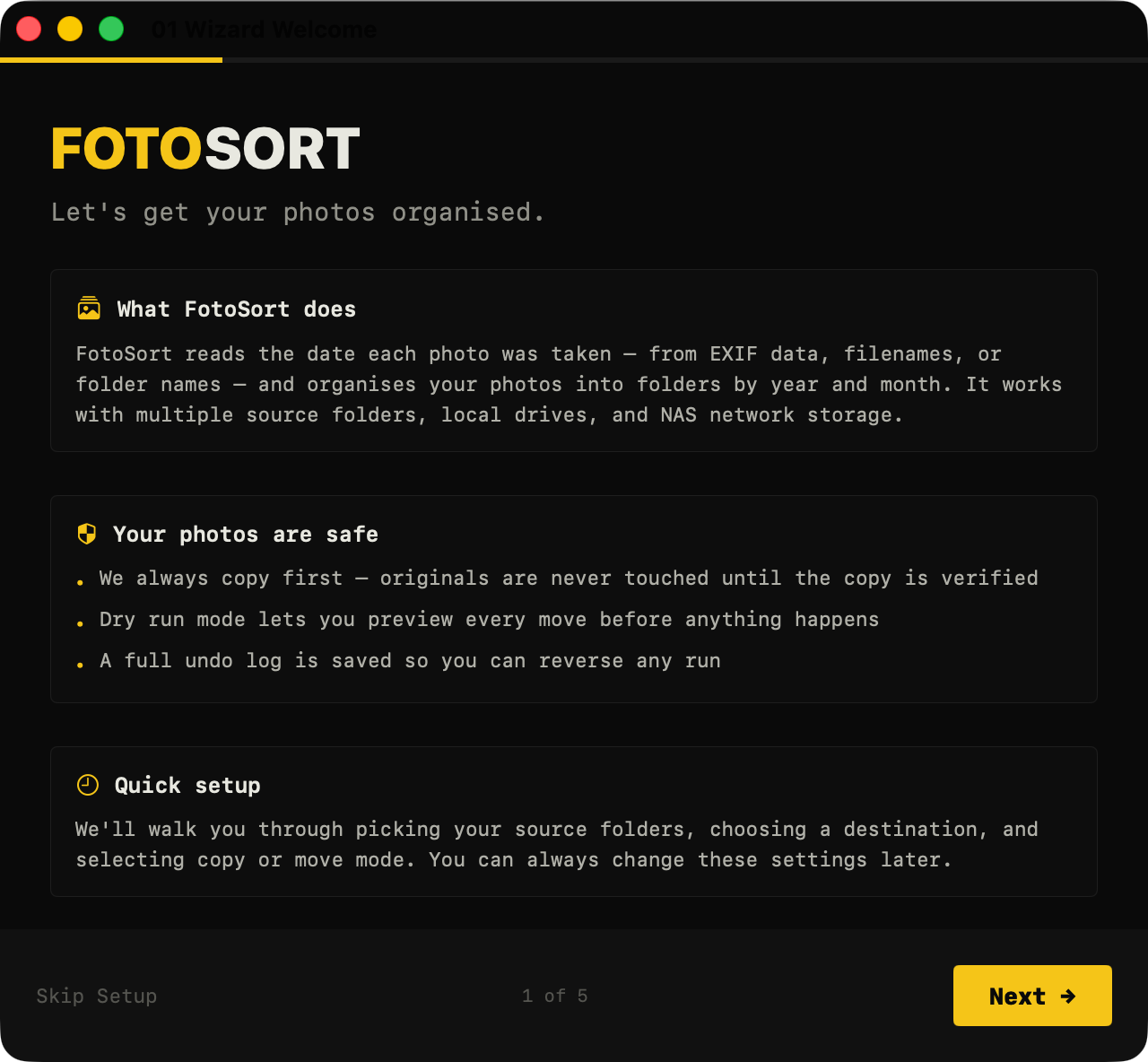
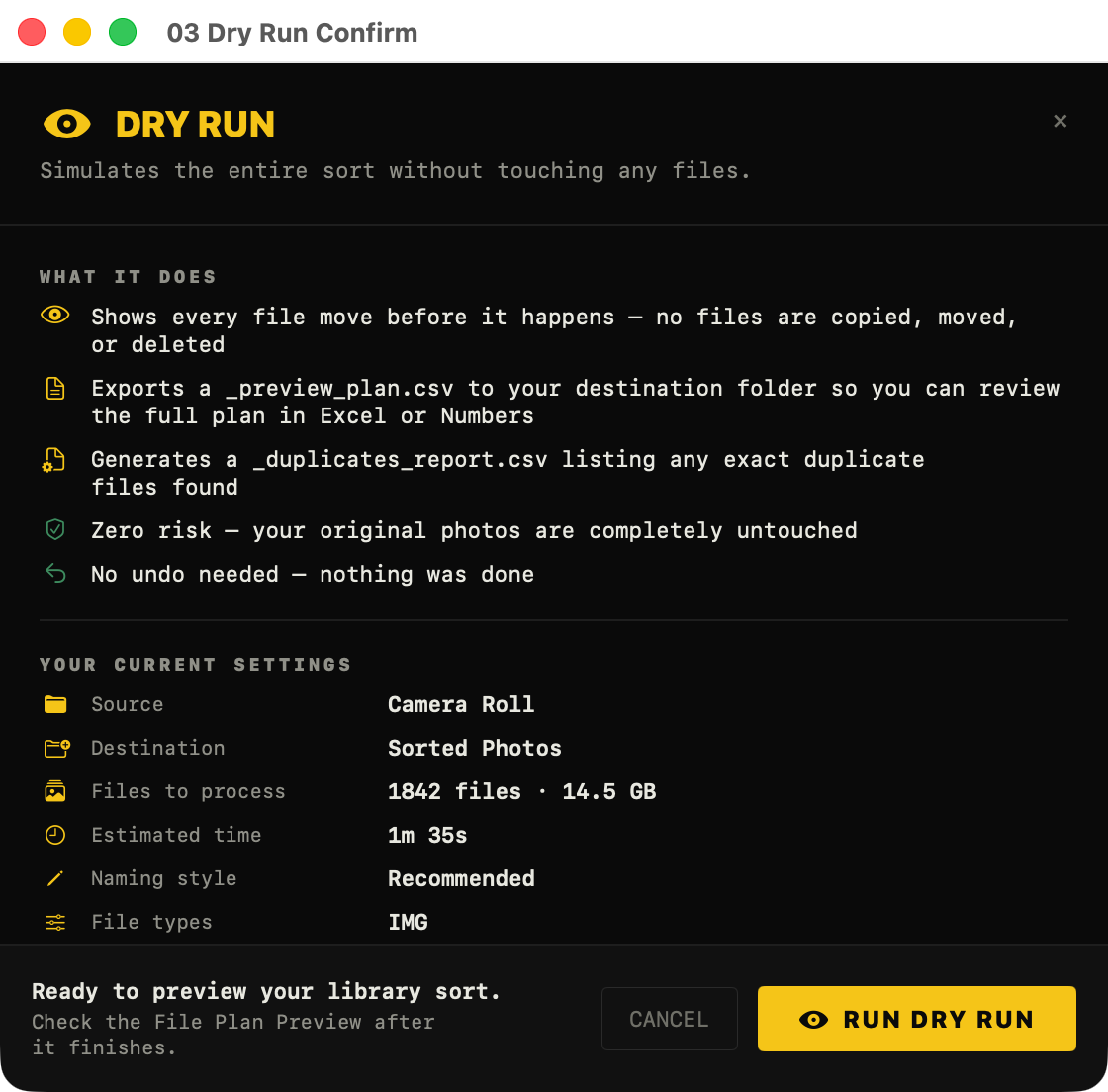
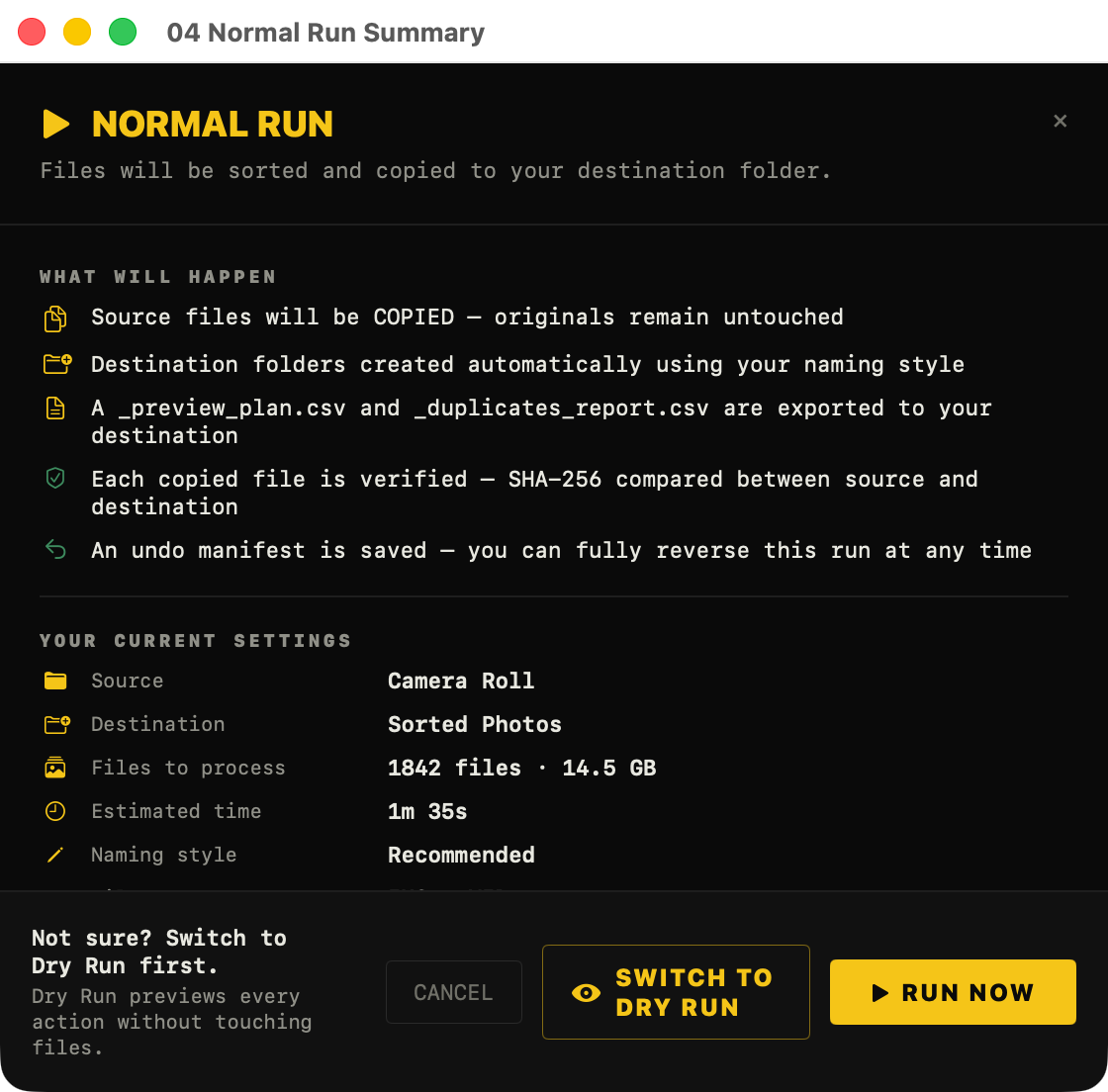
See exactly what will happen — source path, destination path, every file — before a single byte moves.
Sony ARW, Canon CR2/CR3, Nikon NEF, Fuji RAF, DNG, and more. RAW+JPEG pairs stay together.
Every copied file is checked bit-for-bit. If the hash doesn't match, the source is kept and the error is logged.
Every real run saves an undo manifest. Reverse any sort, anytime — even weeks later.
SHA-256 exact match plus perceptual hashing finds near-duplicate photos before the sort.
Remove location data and EXIF from copies before sharing. Your privacy, your choice.
Camera clock was wrong? Batch-shift EXIF dates by any offset with one click.
Optimised batch mode for SMB/NFS shares. Works with external USB drives and SD cards too.
FotoSort is designed for people who are nervous about losing photos. Every decision in the app is made with this in mind.
Default mode copies files and verifies each one. Originals are never touched until you're satisfied.
The entire sort is simulated first. You see every source → destination path before anything moves.
An undo manifest is saved after every run. You can fully reverse a sort at any time — even months later.
Your photos never leave your machine. FotoSort has no servers, no sync, no telemetry.
No sign-up, no login, no email. Download and run — that's it.
Free forever. No trial, no paywall, no "pro" tier. Donations are welcome but never required.
If it saved you an afternoon of manual sorting, consider buying me a coffee. It helps cover the Apple Developer account, testing hardware, and keeps development going.